
ALNETS · Technical articles
Farewell to 24/7 Desktop PC Power-On: Hands-on Deployment Guide for 7x24H Always-On AI Agents on Dedicated Hardware
A systematic engineering solution resolving the primary friction points of deploying autonomous AI agents across enterprise workflows: forcing employee laptops or desktop PCs to run 24/7 drains battery, triggers fan noise, suffers network disconnects during OS sleep, and causes severe desktop lag. Details an end-to-end continuous deployment framework powered by the ALNETS AiA Dedicated Agent Host: exploring single-operator isolated physical sandboxes and workspace boundary segregation; practical orchestration of Playwright/Puppeteer headless browser pipelines, long-running daemon supervision (systemd automated healing and auto power-on recovery), and multi-model API access; paired with 10W fanless anodized aluminum engineering (0dB silent operation, minimal annual power draw), alongside synergy with AiR gateways and AE-2000 local compute for sovereign data governance.
Quick Takeaways (TL;DR)
As autonomous AI agents embed themselves into core business operations (such as continuous competitor price monitoring, automated customer follow-ups, regression testing, and multi-source data ingestion), enterprise teams confront an awkward practical reality: to keep agents running around the clock, employees frequently leave personal laptops or primary desktop PCs powered on overnight with screens active and sleep modes disabled. However, personal workstations were never engineered for 24/7 unattended server duty: OS sleep timeouts sever network sockets, background headless browsers leak memory to freeze foreground apps, and spinning fans cause acoustic wear—frequently causing overnight automation pipelines to crash unobserved.
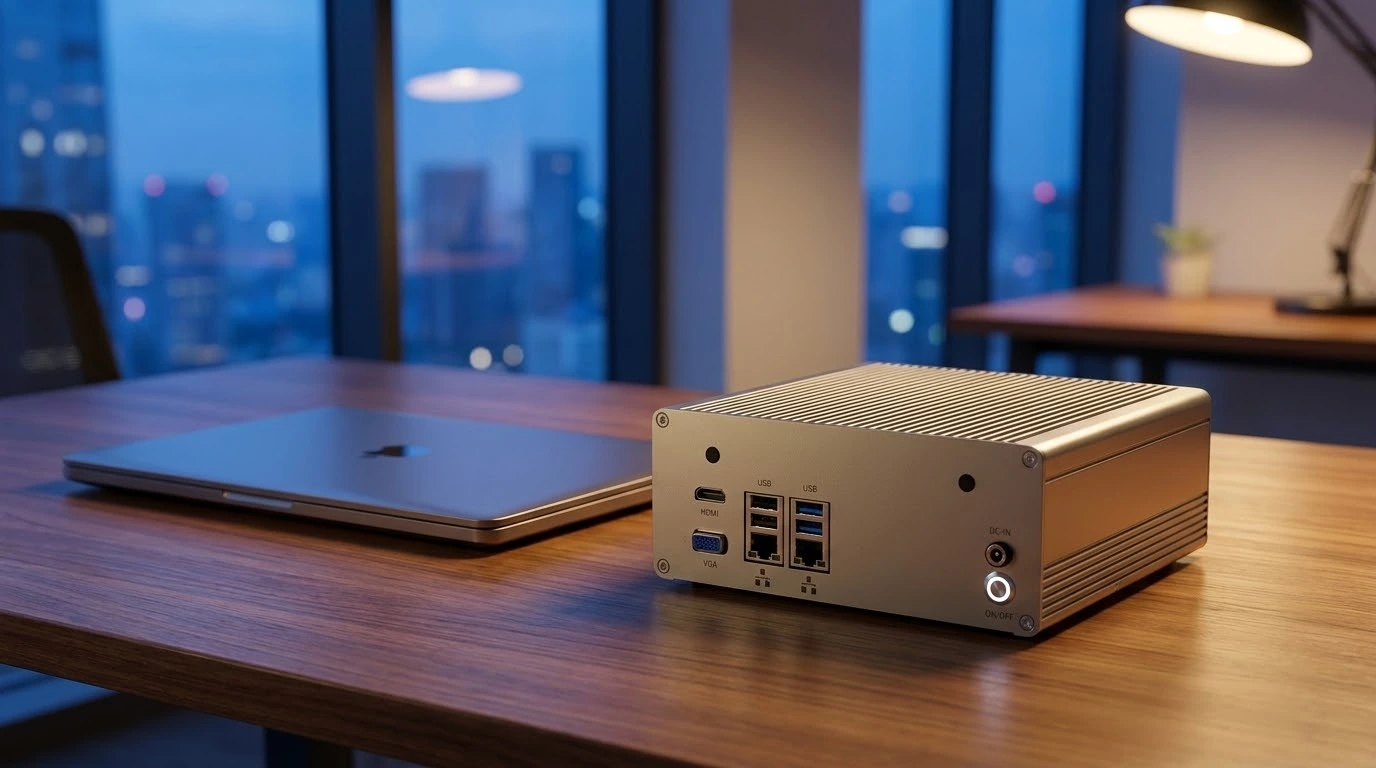
The proven enterprise solution is "Dedicated Hardware Agent Offloading": deploying the purpose-engineered **ALNETS AiA Agent Host** to physically decouple long-running autonomous workflows from personal computers. Featuring an anodized all-aluminum fanless chassis operating at 0dB absolute silence with a mere 10W rated power draw (consuming under 90 kWh annually, costing less than $0.03/day), it integrates OS-level systemd daemon supervision and automatic power-on recovery. Employees freely close laptops and power down workstations at clock-out; agents execute continuously within isolated physical sandboxes, delivering finalized reports and task outputs the next morning.
1. Four Core Headaches of Running AI Agents on Personal Workstations
When engineers and operations specialists attempt to host autonomous agents on personal laptops, they inevitably encounter four recurring failure modes:
- 1. OS Sleep Timeouts & Socket Severance: To preserve battery life, Windows and macOS aggressively force system sleep after 15 to 30 minutes of user inactivity or lid closure, cutting power to wireless adapters and dropping TCP sockets—instantly freezing or terminating active multi-step agent scripts unobserved.
- 2. Resource Contention & Desktop Freezes: Typical agent pipelines orchestrate Playwright or Puppeteer headless Chromium instances to scrape dynamic SPAs. This instantly consumes 3 to 6 GB of RAM and spikes CPU threads, causing user-facing text lag, IDE freezes, and severe video conferencing frame drops on personal workstations.
- 3. Electrical Waste & High-RPM Fan Wear: Conventional desktop workstations and laptops draw 60W to 150W while idling, generating hundreds of dollars in annual power costs. High-speed cooling fans accumulate dust and bearing wear rapidly under continuous 24/7 rotation, leading to abrasive whining and thermal throttling.
- 4. Fragile Security Boundaries & Workspace Contamination: Installing diverse third-party agent frameworks and unvetted Python libraries directly onto personal workstations inevitably causes package dependency collisions. If a personal laptop joins an unsecured coffee-shop Wi-Fi, persistent browser cookies, API tokens, and confidential corporate records stored within the agent environment face grave exposure.
2. Architectural Breakthrough: Dedicated Hardware as Isolated Physical Sandboxes
Addressing these vulnerabilities, ALNETS pioneers the "Physical Hardware Decoupling" architecture: assigning a dedicated **AiA Agent Host** to each core operational role or business unit, establishing an enterprise-clean execution sandbox directly at the physical layer:
- 1. "One Host Per Role" Physical Sandboxing: Social media scraping and publishing routines execute on a dedicated Marketing AiA; automated CI/CD builds and test suites run on an Engineering AiA. Each unit maintains independent CPU cores, RAM banks, and NVMe storage—eliminating resource contention while strictly confining departmental assets.
- 2. Genuine Local Footprint & Persistent Session Retention: Unlike public cloud VPS instances frequently flagged as datacenter bots by anti-fraud engines, an on-premises AiA operates with genuine physical hardware MACs and clean local subnets. Enterprise CRM, ERP, and messaging session cookies remain authenticated long-term without triggering MFA challenges.
- 3. OS-Level Daemon Healing & Auto Power-On Recovery: The AiA runs an optimized Linux stack featuring BIOS-level Auto Power-On and systemd daemon supervisors. If an unhandled exception causes a headless browser to crash, the supervisor automatically restarts the worker within 2 seconds. In the event of a power blackout, the hardware autonomously boots upon power restoration, resuming scheduled queues seamlessly.
3. Practical Pipeline: Headless Browser Automation & Long-Running Daemons
In enterprise automation workflows, how do teams configure the AiA to achieve bulletproof reliability? Below is the production-tested engineering pattern:
- 1. Headless Browser Context Pooling & Memory Caps: When orchestrating Playwright or Puppeteer scraping, avoid single long-lived browser sessions. Adopt a pooled lifecycle pattern that recycles browser contexts every 50 executions, paired with Node.js --max-old-space-size=4096 to prevent leaky third-party SPA scripts from exhausting host memory.
- 2. Synergy with AiR Gateway (Dual Inbound/Outbound Armor): Uplinked to an ALNETS AiR Cloud Gateway on the same LAN, the AiA routes outbound web requests through dedicated clean proxy IPs, shielding scraping agents from bans. Concurrently, remote traveling staff access the AiA web dashboard via AiR single-VPS reverse tunneling to inspect deliverables from mobile devices.
4. Hardware Foundation: ALNETS AiA Engineering Specifications
Engineered specifically for 24/7 unattended continuous duty, the ALNETS AiA possesses industrial characteristics far exceeding consumer-grade mini PCs:
| Evaluation Dimension | Consumer-Grade Mini PC | Personal Office Laptop | ALNETS AiA Dedicated Agent Host |
|---|---|---|---|
| Thermal & Acoustic Engineering | Plastic case with high-RPM tiny fan, noisy whine | Hot chassis, loud throttling fan whine | **Anodized all-aluminum passive heatbody (0 dB true silence)** |
| Rated Power & Energy Cost | 35W to 65W (~$25 - $45/year) | 45W to 100W, continuous charging degrades battery | **Ultra-low 10W rated power (<90 kWh/year, under $10/year)** |
| Unattended Stability & Keepalive | Prone to thermal crashes, no auto power-on, sleep drops | Clamshell sleep terminates jobs, forced OS reboots | **Hardware watchdog, Auto Power-On, systemd daemon supervision** |
| Workspace & Security Sandbox | Personal files mixed with automation pipelines | Mobile transit halts tasks; risk of corporate data leak | **"One Host Per Role" physical sandbox, on-premise asset custody** |
For product sizing, ALNETS provides two tailored tiers: • **AiA-8 (Standard Tier)**: Configured with 8GB RAM and 256GB SSD, optimal for individual team members running single-pipeline daily automation (customer CRM updates, report generation, web monitoring); • **AiA-16 (High-Density Tier)**: Equipped with 16GB RAM and 512GB SSD, purpose-built for heavy concurrent workloads, orchestrating 3 to 5 parallel agent pipelines and multi-instance headless browser automation.
5. 3-Tier Enterprise On-Site AI Infrastructure Synergy
Within a mature on-premise AI deployment, the AiA integrates tightly with ALNETS core infrastructure to form an unshakeable operational triangle:
- 1. AiR (Network Boundary Hub): Provides dedicated Cloud Outbound proxy paths for commercial LLM API calls and Cloud Inbound reverse tunneling for remote mobile dashboard access, strictly guarding the LAN perimeter;
- 2. AiA (7x24H Resident Agent Host): Autonomously executes persistent business workflows, web automation, and scheduled task pipelines, liberating employee workstations from 24/7 power-on duty;
- 3. AE-2000 (On-Premises Compute & RAG Foundation): Runs air-gapped private RAG vector retrieval and local LLM inference over dedicated RTX 2000 hardware. AiA queries AE-2000 across the high-speed LAN, ensuring proprietary contracts and schematics never leave the premises.
6. Frequently Asked Questions (FAQ)
Q1: Why not simply run agents in a local VM or Docker container on employee laptops instead of buying dedicated AiA hardware?
A1: The decisive differences are physical independence and workflow continuity. Running VMs or Docker on a personal laptop remains constrained by the physical host: closing the lid, disconnecting power for a meeting, or boarding a flight instantly suspends the VM and terminates running jobs. Furthermore, headless browser disk writes and memory spikes severely degrade user-facing desktop responsiveness. Deploying a dedicated AiA permanently offloads background automation onto sovereign hardware—empowering staff to close laptops freely while agents deliver uninterrupted 24/7 business value.
Q2: In the event of overnight office power cuts or weekend electrical shutdowns, how does the AiA prevent job loss?
A2: The AiA incorporates motherboard-level Auto Power-On at the hardware BIOS layer. When power is restored to office circuits, the unit boots automatically without requiring physical button presses. The underlying systemd and task queue architecture features atomic checkpointing, scanning pending queues upon reboot to resume pipelines seamlessly. Moreover, drawing only 10W of power, pairing the AiA with an inexpensive desktop mini-UPS sustains uninterrupted operation for hours through transient utility outages.
Q3: When supporting multiple enterprise departments (Sales, Marketing, R&D), what is the recommended deployment topology?
A3: We strongly recommend adhering to the "One Unit Per Role / Department" paradigm. Deploy one AiA for Sales Operations (running lead enrichment, follow-ups, and proposal drafting); a second AiA for Marketing (handling price tracking, competitor monitoring, and content pipelines); and a third AiA for Engineering (executing automated test regressions and build checks). Units plug into local switches under unified AiR gateway governance, giving each team a self-contained physical sandbox with clear administrative boundaries.
ARCHITECTURE & HARDWARE SYNERGY
Recommended Products & Bundles
Hardware appliances, gateways, and collaborative suites referenced in this guide:
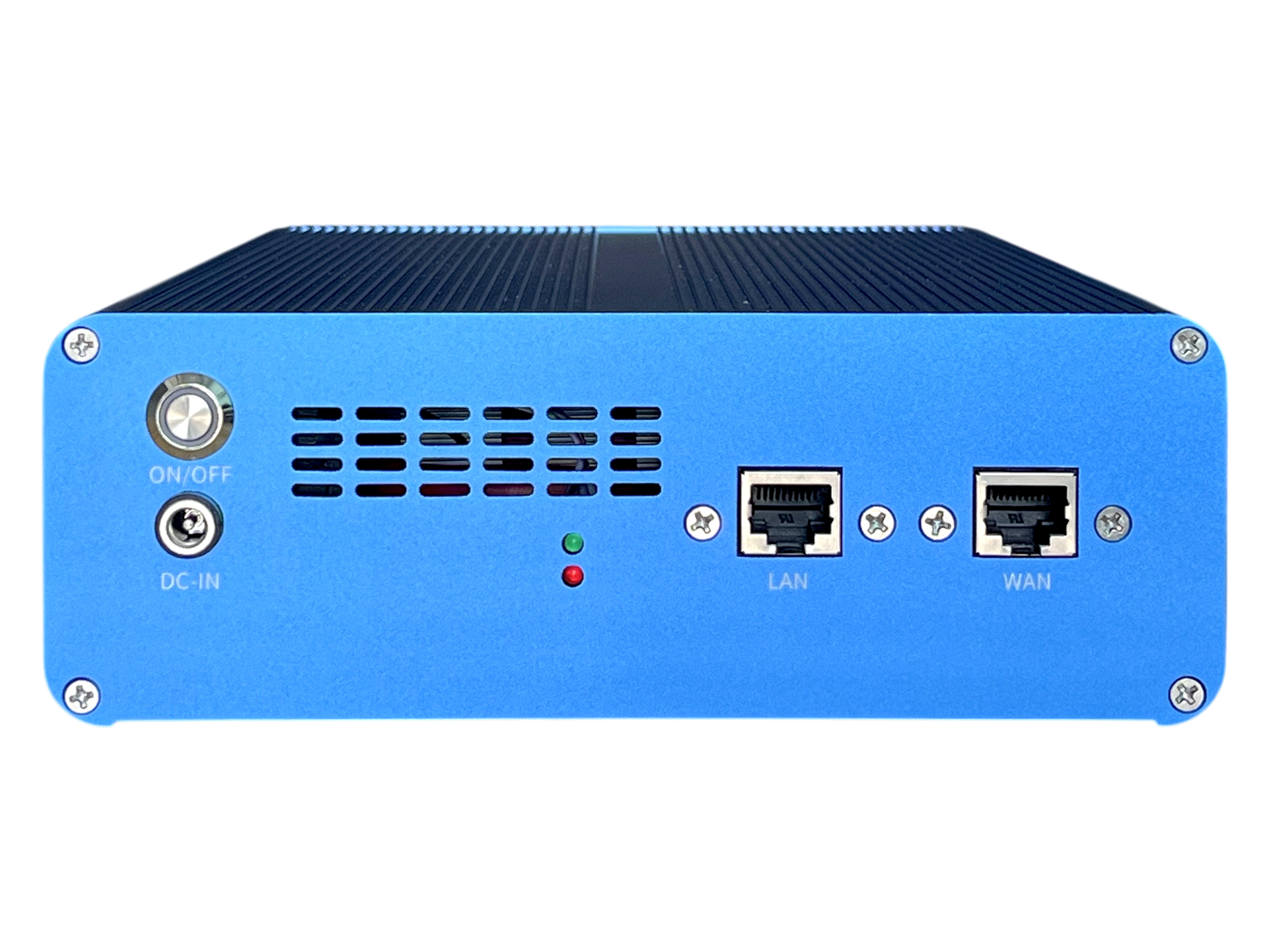
AiR AI Cloud Gateway Router
Secure encrypted tunneling, multi-wan routing and remote access gateway for on-site AI deployments.
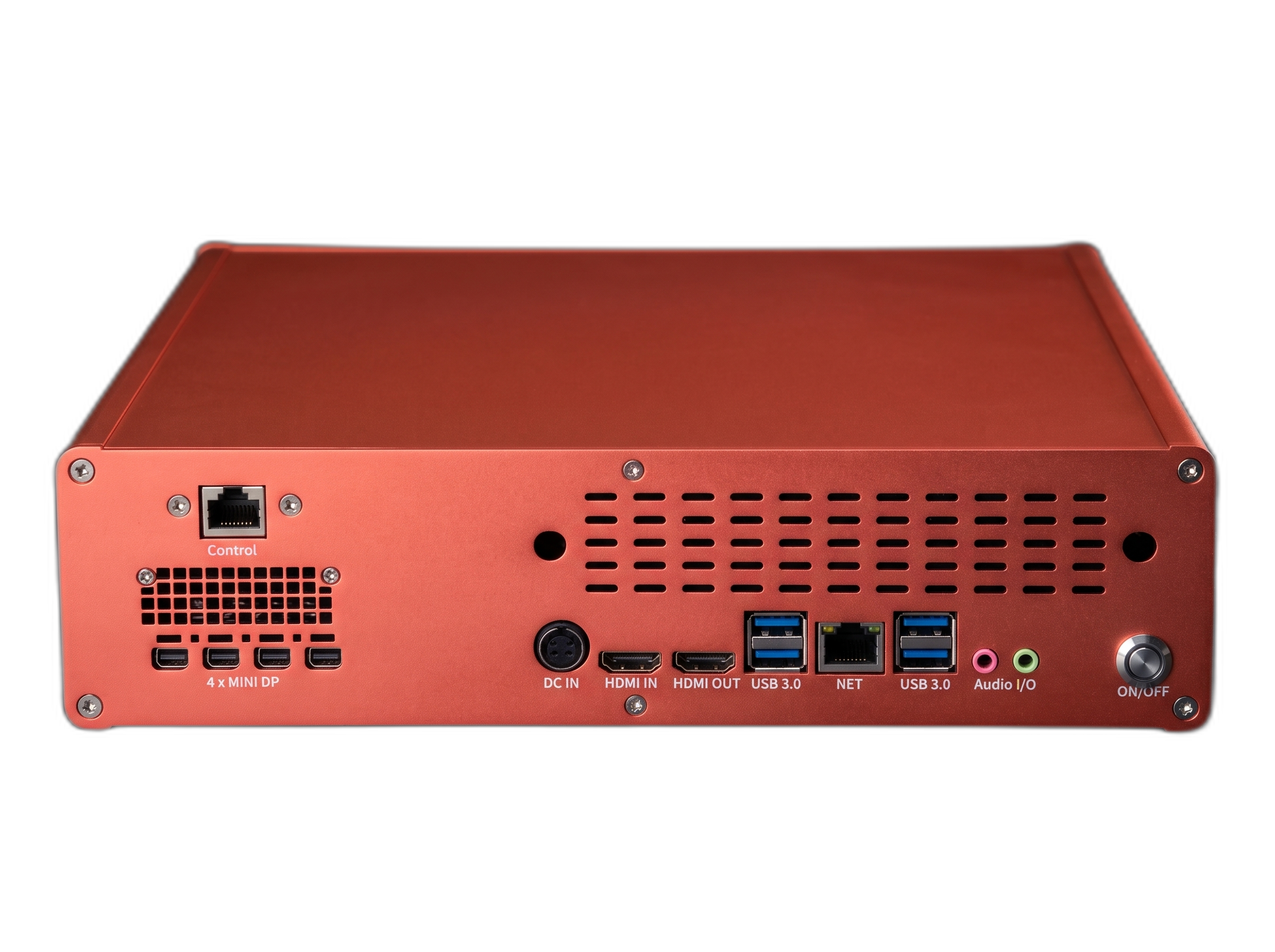
AE-2000 Industrial Edge AI Computer
Local AI compute for industrial and commercial sites, with two system configurations. Both use an NVIDIA RTX 2000 Ada GPU with 16GB GDDR6 ECC memory.
AiA Agent Host Details
Integrated hardware topology, security boundary, and turnkey suite
7x24h Always-On Agent Solution
Integrated hardware topology, security boundary, and turnkey suite
7×24 Dedicated Autonomous Agent Workspace
Deploy dedicated AiA agent hosts, AiR secure network egress, API Gateway per-employee model governance, and AE-2000 private knowledge retrieval—organizing role-specific models, docs, and continuous workspaces with full bespoke customization support.
Enterprise Private Knowledge Base & Q&A Hub
Organize scattered manuals, installation guides, troubleshooting trees, and internal SOPs into an authoritative, private knowledge retrieval engine with complete confidentiality.